Ready to take control of your security?
This guide will help you access your new VMS system for the first time. Please keep this guide's link in case you need to reference it in the future.
If you need further assistance please don't hesitate in
Contact us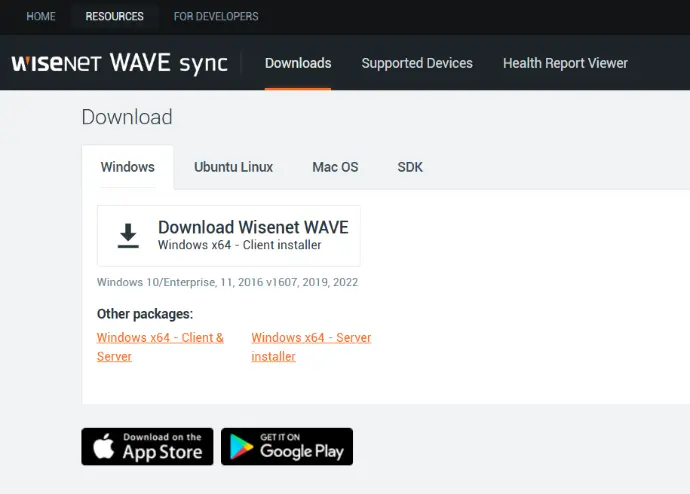
First, let's get the app you will need.
Follow this link, download and install the app you need. You may choose between a window client, or a mobile app based on your phone's architecture.
Now let's log into the system
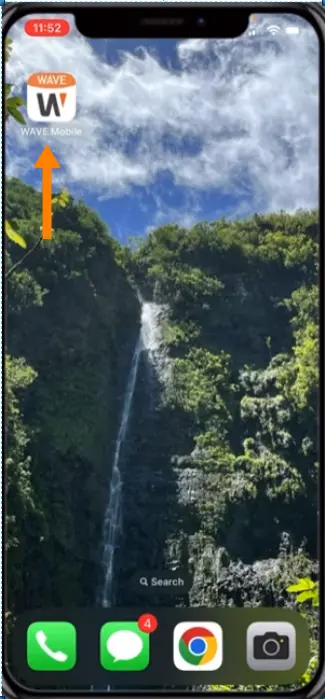
- Open the app, depending on your platform this may be your phone or your desktop computer.
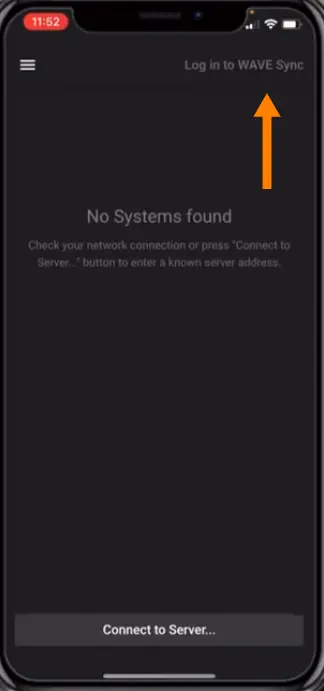
- Select "Log in to Wave Sync" from the available menu.
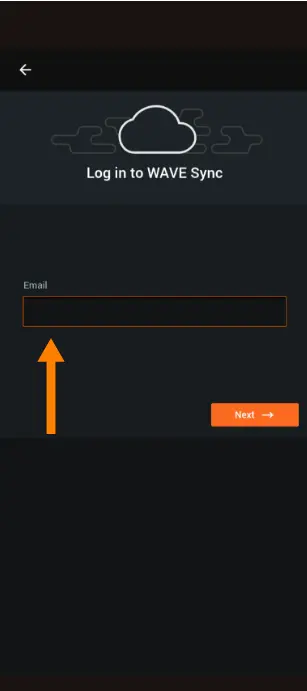
- The new prompt will ask you for your email address and password created when you confirmed your account.
If you have any issues getting to this point don't panic. We are here to help and you can contact us at any time.
Almost there...
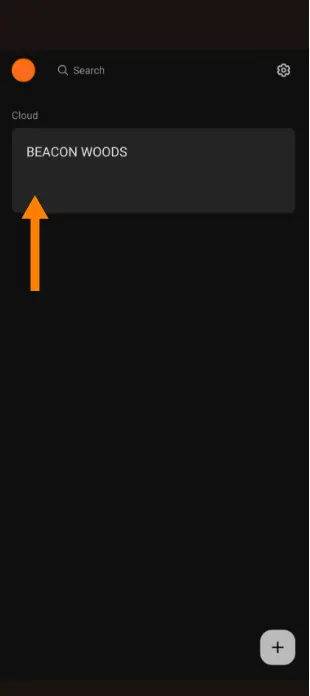
- Once logged into the system you should see the "Beacon Woods" system available. as shown in the picture.
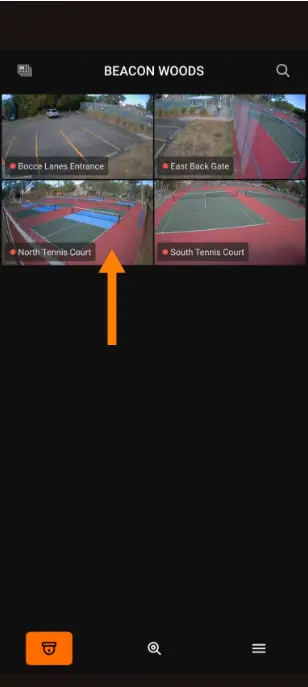
- Accessing the Beacon Woods connection you will see all the cameras you are allowed.
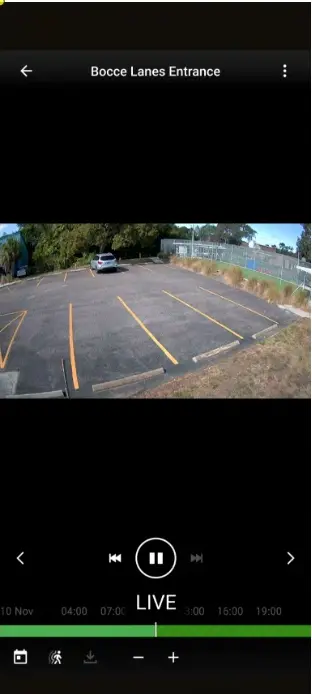
- Each camera view have options in the bottom to search based on a specific date or based on motion.
- This user friendly interface will allow you to have full control of the views and recordings available.
Remember that keep your login information personal!
If further assistance is needed don't hesitate to contact our support team following this link